The ZParen icon, a lambda in a circle

Common Lisp,
live on your Mac.

ZParen is a Common Lisp IDE built on SBCL. Evaluate a form, click the result to inspect the real object, stop in the debugger, fix the code, and restart the frame that failed.

Apple silicon · macOS 13 or later · Signed and notarized · SBCL included

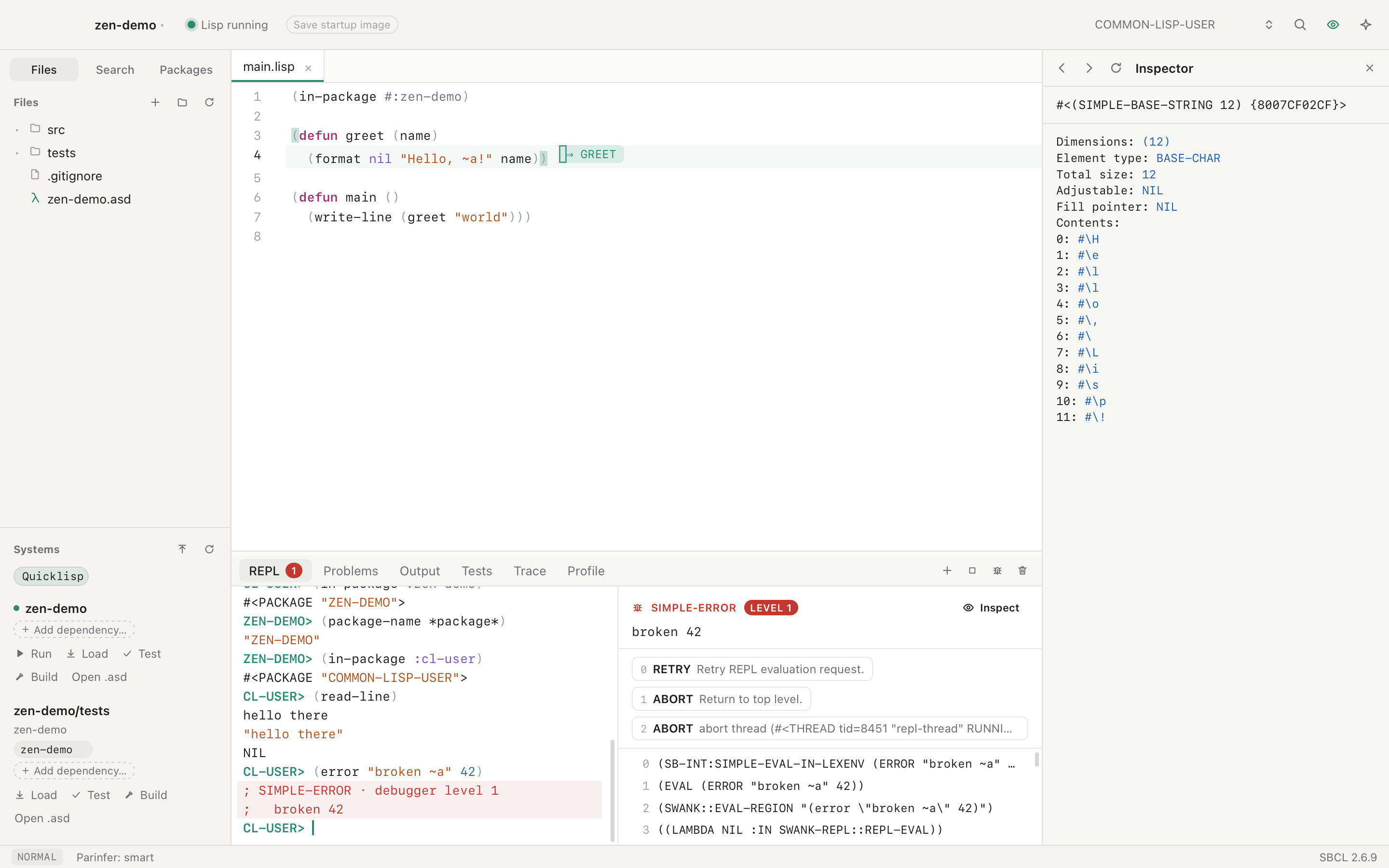
The REPL beside the debugger, with its restarts and backtrace, and the inspector on the right

Works without setup

ZParen carries SBCL and Swank. Open a project folder and Lisp starts. No Emacs config to keep alive across upgrades.

AI works in your image

In ZParen, your REPL, the built-in assistant and Claude Code over MCP send code to the same SBCL. A function Claude defines is one you can call at once.

Plain ASDF projects

ZParen projects are ASDF systems, with dependencies from Quicklisp, ocicl, qlot or a vendor folder. ZParen adds no files, so the project builds the same way without it.

Run and debug

A REPL of live objects.

In ZParen, every REPL result is a live object in the running SBCL, and clicking one opens it in the inspector. When code stops in the debugger, ZParen keeps the stack, so you can redefine the broken function and use Restart Frame to run that frame again. Breakpoints, stepping, trace, profile and tests are in the same window.

Run and debug →
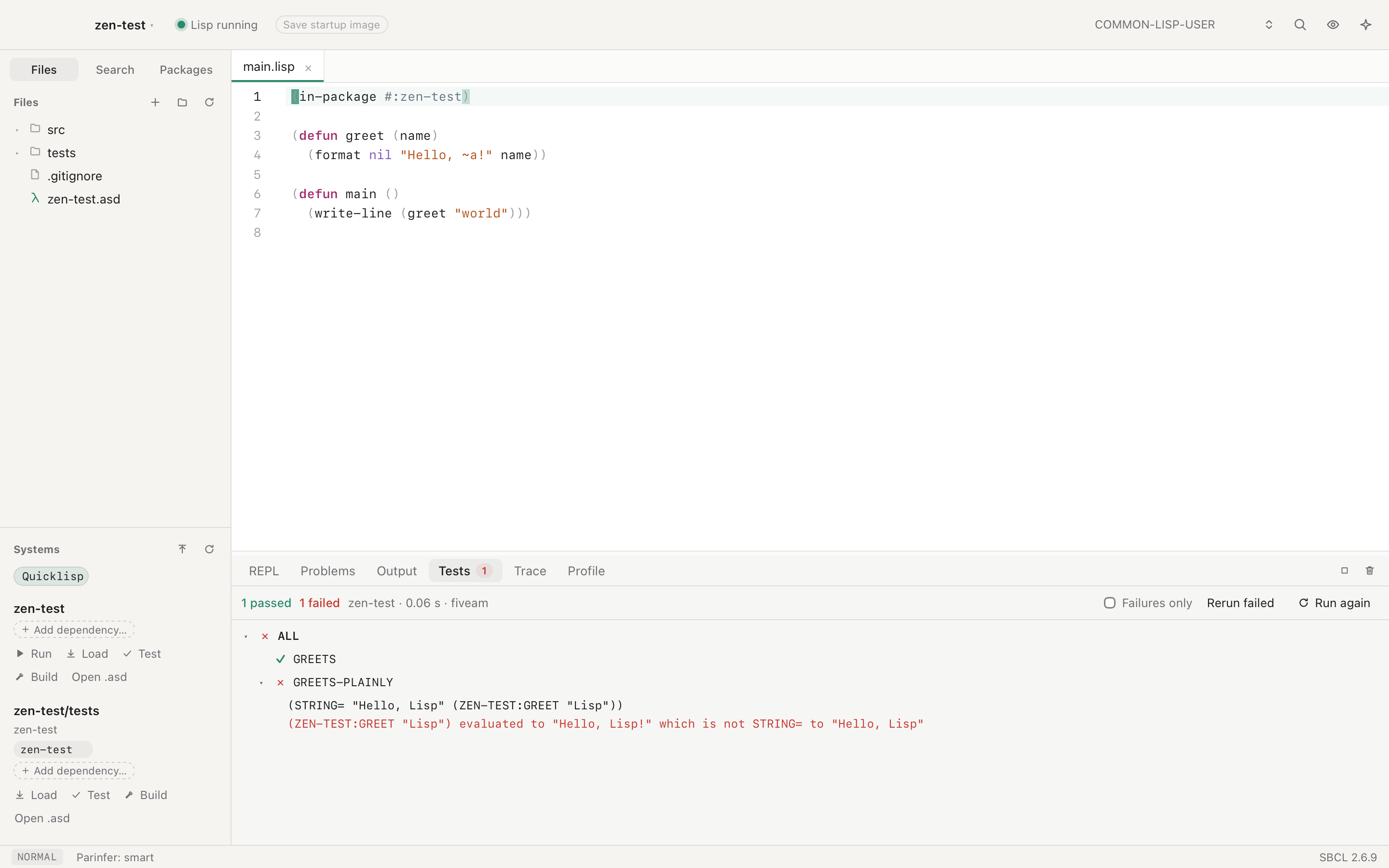
Test results as a tree, with the failing test opened

Edit

Checked as you type.

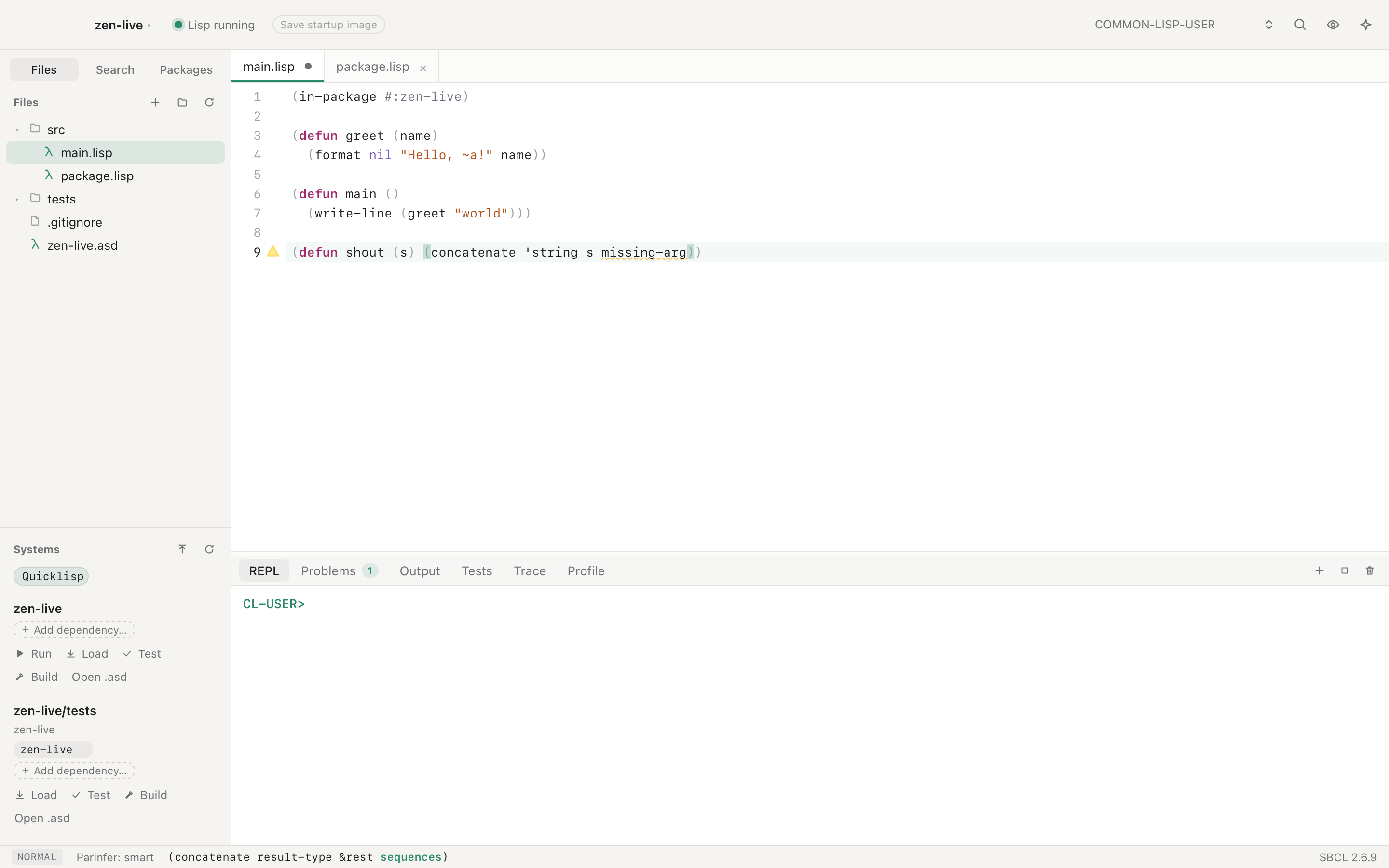
ZParen checks each open Lisp file as you type. SBCL compiles the file in the background without loading it, and ZParen marks each warning on the code it concerns, with the message at the end of the line. Vim keys come first, SLIME's Emacs sequences work too, and parinfer keeps the parentheses right.

Edit code →
SBCL's warning marks the undefined variable, and the status bar shows the argument list

Assistant and MCP

Claude and Codex, in the same Lisp.

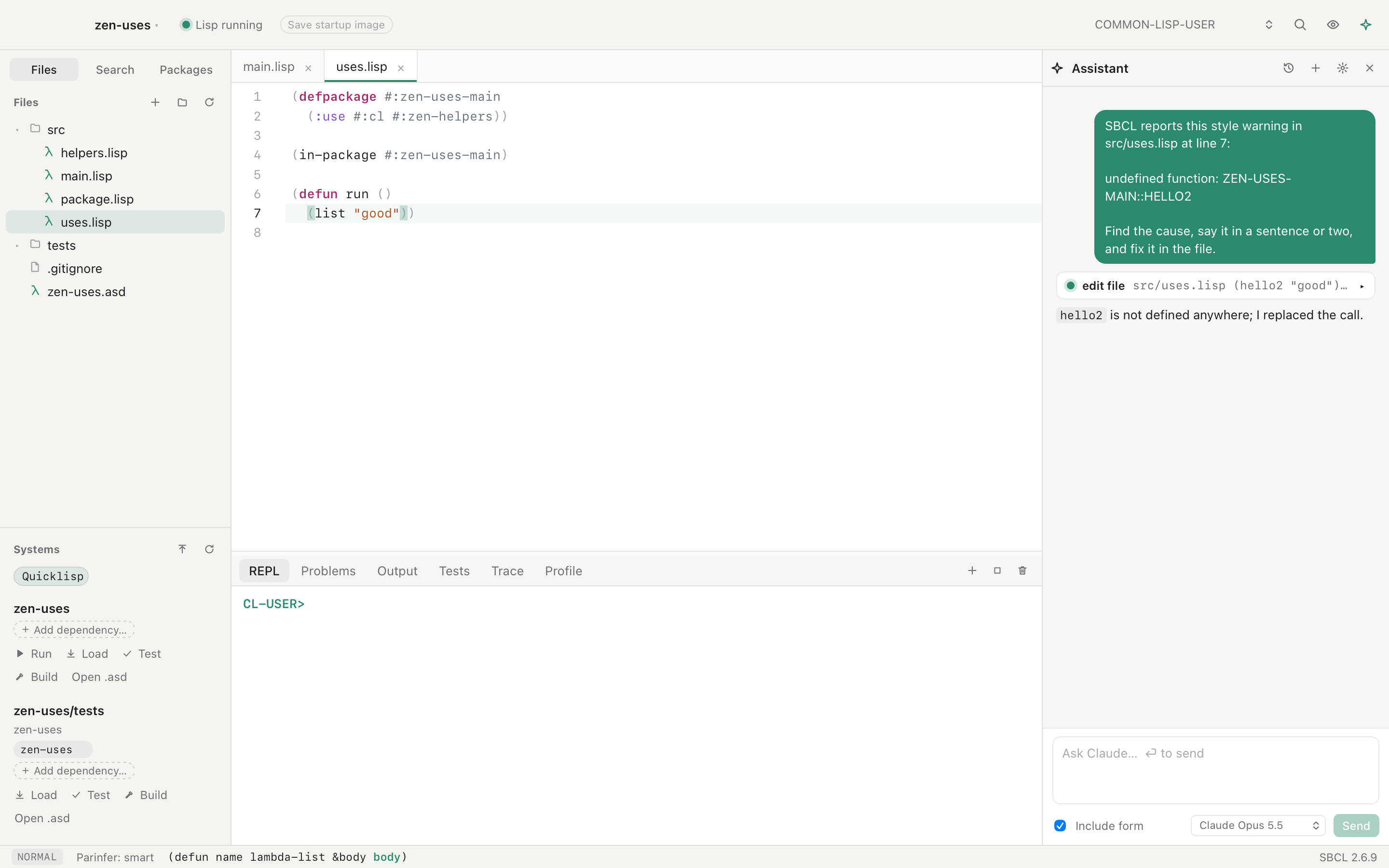
ZParen's assistant answers with Claude or Codex, through an API key or your own Claude Code or Codex login. It evaluates, compiles and edits through ZParen's tools. Every warning has an Ask AI to fix button, and one undo takes the change back.

Assistant and MCP →
The assistant reads a warning and edits the file

Macros

See what a macro becomes.

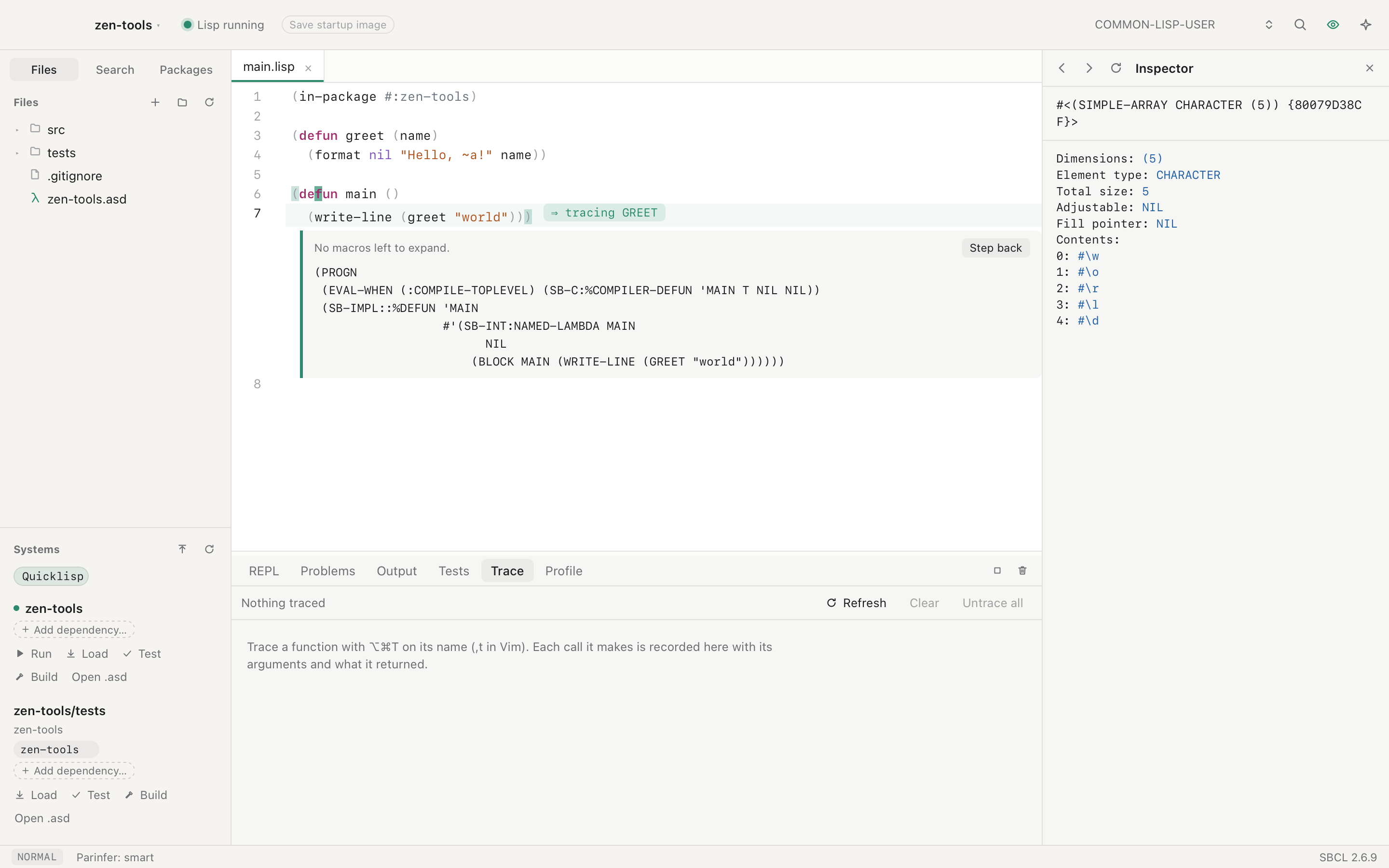
ZParen expands a macro form in place, under the form, with a Step back button. ZParen also shows a function's disassembly.

Run and debug →
A macro expanded in place under its form

Files and git

Your files, side by side.

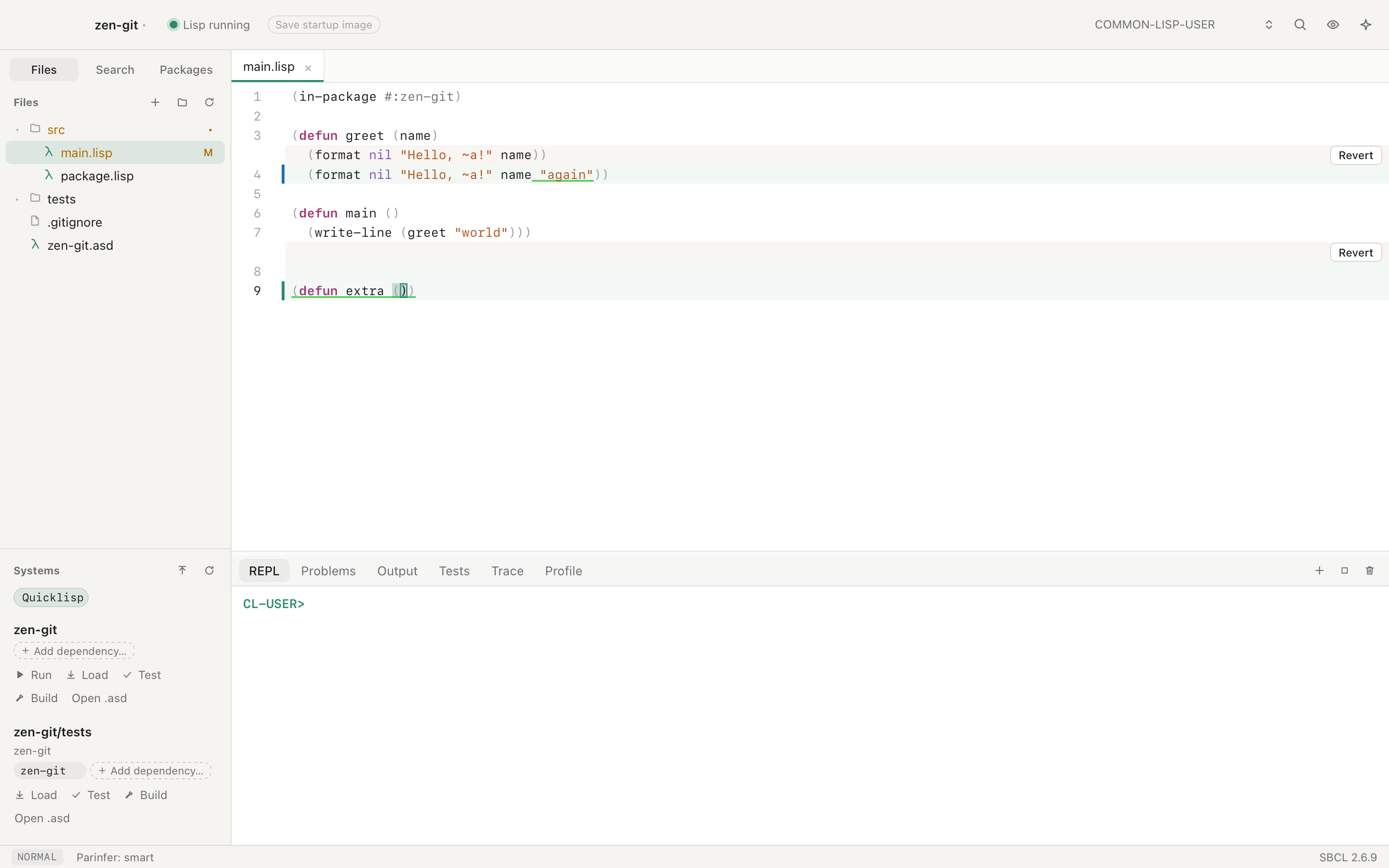
ZParen has split panes, and a git gutter with inline diffs and a Revert button on each change. Rename a symbol across the project, and jump to any definition.

Edit code →
The inline diff with a Revert button beside changed lines

Coalton

ZParen opens Coalton projects and .ct and .coal files, shows types on hover, and puts type errors on the expression Coalton blames.

Coalton →

Plugins

Extend ZParen in Common Lisp, and bring your own themes as JSON files.

Plugins →

Keyboard first

Every ZParen command has a key, and ⇧⌘/ lists them all. Light and dark themes follow your Mac.

Getting started →

Install

  1. Download ZParen_<version>_aarch64.dmg from the latest release.
  2. Open it, and drag ZParen to Applications.
  3. Open ZParen, and open or create a project. Lisp starts on its own.

Releases do not update themselves yet. To update, download the new disk image. To build from the source, read Develop and release.

Documentation